Durimg the upload of the article from your table you will get a different dimensions on the crimp screen. see below
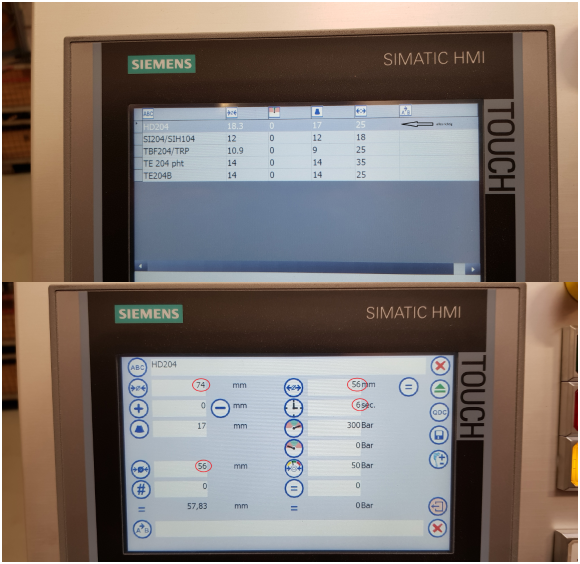
Please go the windows mode and click on the desktop -> Startcenter -> Settings ->Regional Settings -> put the country in English (united States) and confirm the changing.
Was this article helpful?
That’s Great!
Thank you for your feedback
Sorry! We couldn't be helpful
Thank you for your feedback
Feedback sent
We appreciate your effort and will try to fix the article